
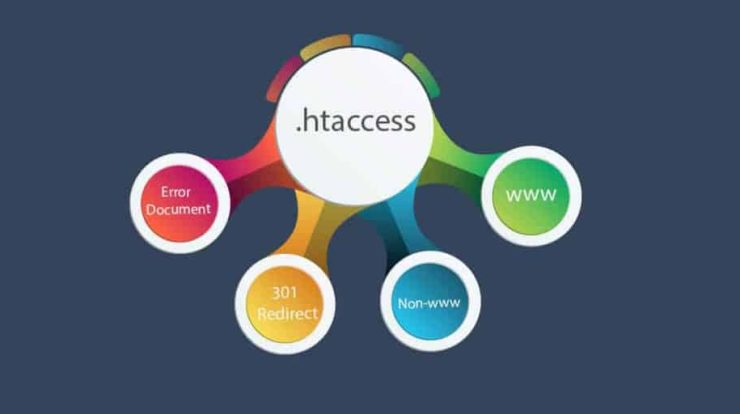
If you run a website on an Apache web server, there’s a small but incredibly powerful file that can dramatically change how your site behaves: the .htaccess file. Despite its simple appearance and tiny footprint, this configuration file is one of the most versatile tools available to web developers, system administrators, and even beginners.
In this guide, we’ll explore what .htaccess is, how it works, its major advantages, and the many things you can do with it to improve security, performance, and functionality—without needing deep access to your server.
What Is an .htaccess File?
The .htaccess (short for “hypertext access”) file is a configuration file used by the Apache web server. It allows you to control and customize the behavior of your website on a per-directory basis.
Unlike global server configuration files (like httpd.conf), .htaccess operates at the directory level. This means you can place different .htaccess files in different folders of your website and apply specific rules only to those areas.
For example, you could:
- Protect a private folder with a password
- Redirect users from one URL to another
- Block certain IP addresses
- Customize error pages
All of this can be done without restarting the server or having root-level access.
How .htaccess Works
When a request is made to your website, Apache checks for .htaccess files in the directory being accessed and all its parent directories. It then applies the rules defined in those files before serving the content.
This layered approach allows for granular control. You don’t need to modify the entire server configuration just to change behavior in one part of your site.
However, this flexibility comes with a trade-off: because Apache checks for .htaccess files on every request, excessive or poorly optimized rules can impact performance. Still, when used properly, the benefits far outweigh the drawbacks.
Key Advantages of Using .htaccess
1. No Root Access Required
One of the biggest advantages of .htaccess is that it allows you to configure server behavior without needing administrative access. This is especially valuable in shared hosting environments where you don’t control the main server configuration.
With .htaccess, you can still implement powerful features like redirects, authentication, and security controls—something that would otherwise require server-level permissions.
2. Directory-Level Control
.htaccess gives you fine-grained control over specific directories. Instead of applying settings globally across your entire website, you can tailor behavior to individual folders.
For instance:
- Restrict access to
/admin - Apply caching rules only to
/images - Redirect URLs in a specific subdirectory
This level of control is incredibly useful for managing complex websites with different functional areas.
3. Immediate Changes Without Restarting the Server
Changes made to .htaccess take effect immediately. There’s no need to restart Apache or reload configurations, which is often required when modifying global config files.
This makes it ideal for:
- Quick fixes
- Testing changes
- Iterating rapidly during development
4. Enhanced Website Security
Security is one of the strongest use cases for .htaccess. With just a few lines of configuration, you can significantly harden your website against common threats.
You can:
- Block malicious IP addresses
- Prevent directory browsing
- Protect sensitive files
- Restrict access by IP or location
- Disable access to certain file types
For example, you can prevent access to files like .env or configuration backups, which might otherwise expose sensitive data.
5. Powerful URL Management
.htaccess is widely used for URL rewriting and redirection. This is essential for creating clean, user-friendly URLs and improving SEO.
You can:
- Redirect old URLs to new ones (301 redirects)
- Force HTTPS
- Remove “www” or enforce it
- Convert dynamic URLs into clean, readable ones
For example:
example.com/index.php?page=about→example.com/about
This not only improves usability but also helps search engines better understand your site structure.
6. Custom Error Pages
Instead of showing generic server error messages, .htaccess allows you to define custom error pages for different HTTP status codes.
You can create branded pages for:
- 404 (Not Found)
- 403 (Forbidden)
- 500 (Server Error)
This improves user experience and keeps visitors engaged, even when something goes wrong.
7. Password Protection for Directories
With .htaccess, you can easily add password protection to specific directories. This is useful for:
- Admin panels
- Private content
- Development environments
By combining .htaccess with a .htpasswd file, you can require a username and password before granting access.
8. Control Over File Access
You can restrict access to certain file types or specific files entirely. For example:
- Block access to
.ini,.log, or.bakfiles - Prevent execution of scripts in upload directories
- Allow access only to certain file extensions
This helps prevent attackers from exploiting misconfigured or exposed files.
9. MIME Type and Content Handling
.htaccess allows you to define how different file types are handled by the browser. You can:
- Set MIME types
- Force downloads instead of inline viewing
- Specify default character encoding
This is particularly useful when working with non-standard file types or ensuring proper rendering.
10. Performance Optimization
Although .htaccess itself can introduce slight overhead, it can also be used to improve performance when configured correctly.
You can:
- Enable browser caching
- Compress files using GZIP
- Reduce load times for repeat visitors
For example, caching static assets like images, CSS, and JavaScript can significantly speed up your site.
What You Can Do with .htaccess
Let’s explore some practical and common use cases that demonstrate the versatility of .htaccess.
URL Redirection
Redirecting users from one URL to another is one of the most common tasks.
You can:
- Redirect an old page to a new one
- Redirect an entire domain
- Force HTTPS
Example use cases:
- Migrating a website
- Fixing broken links
- Consolidating duplicate content
URL Rewriting
Using Apache’s mod_rewrite, you can create clean and SEO-friendly URLs.
This allows you to:
- Hide query strings
- Build user-friendly navigation
- Improve search engine rankings
Blocking IP Addresses
If you notice suspicious activity or want to block specific users, .htaccess makes it easy.
You can deny access to:
- Individual IPs
- IP ranges
- Entire regions (with additional modules)
Preventing Hotlinking
Hotlinking occurs when other websites use your images or files directly, consuming your bandwidth.
With .htaccess, you can:
- Block external sites from embedding your images
- Replace hotlinked images with a placeholder
Enforcing HTTPS
Security is critical, and .htaccess can force all traffic to use HTTPS.
This ensures:
- Encrypted communication
- Better SEO rankings
- Increased user trust
Disabling Directory Browsing
If a directory doesn’t have an index file, Apache may display its contents by default. This can expose sensitive files.
With .htaccess, you can disable directory listing entirely, improving security.
File Upload Restrictions
You can prevent execution of scripts in upload directories, reducing the risk of malicious uploads.
For example:
- Disable PHP execution in
/uploads - Allow only image file types
Setting Default Pages
You can define which file should be served as the default index page.
For example:
index.phpindex.htmlhome.html
Redirecting Based on Conditions
.htaccess allows conditional logic based on:
- User agent (browser type)
- Referrer
- IP address
This enables advanced behavior such as:
- Redirecting mobile users to a mobile site
- Blocking bots
- Serving different content based on location
Best Practices for Using .htaccess
While .htaccess is powerful, it should be used carefully to avoid performance issues or misconfigurations.
Here are some key best practices:
Keep It Organized
Group related rules together and use comments to explain what each section does. This makes maintenance much easier.
Avoid Overusing It
If you have access to the main server configuration, it’s often better to place rules there instead of .htaccess for better performance.
Test Changes Carefully
A small syntax error can break your entire site. Always test changes in a safe environment before applying them to production.
Backup Before Editing
Always keep a backup of your .htaccess file before making changes. This allows you to quickly revert if something goes wrong.
Optimize for Performance
Minimize the number of rules and avoid unnecessary complexity. Efficient rules reduce processing overhead.
Common Pitfalls to Avoid
Even experienced developers can run into issues with .htaccess. Here are some common mistakes:
- Syntax errors: A missing character can cause server errors
- Conflicting rules: Overlapping directives can produce unexpected behavior
- Performance degradation: Too many rules can slow down your site
- Security misconfigurations: Incorrect permissions can expose sensitive data
Being cautious and methodical helps you avoid these problems.
Conclusion
The .htaccess file is one of the most flexible and powerful tools available for managing a website on an Apache server. It offers a unique combination of accessibility and capability, allowing you to control everything from security and performance to URL structure and user experience—all without needing full server access.
Its advantages are clear:
- Fine-grained control at the directory level
- Immediate implementation of changes
- Strong security enhancements
- Advanced URL management
- Performance optimization opportunities
Whether you’re a beginner looking to implement simple redirects or an experienced developer building complex configurations, .htaccess provides the tools you need to shape your website exactly how you want.
Used wisely, it can dramatically improve your site’s functionality, security, and performance—making it an essential part of any Apache-based web environment.

With 23+ years in the Web Hosting Industry, Brian has had the opportunity to design websites for some of the largest companies in the industry. Brian currently holds the position as Co-Founder and Creative Director at WebHosting,coop Internet Cooperative