

Choosing the Right Website Builder
Creating a website has become easier than ever, thanks to the growing number of website builders available today. Whether you want to launch a personal blog, build an online store, establish a business presence, showcase a creative portfolio, or develop a professional website for a growing company, there are tools designed to help you get started without requiring extensive programming knowledge.
Website builders have transformed how individuals and businesses establish an online presence. In the past, creating a professional website often required hiring web developers, learning HTML and CSS, configuring web servers, and managing complicated technical infrastructure. Today, many platforms offer visual editors, customizable templates, drag-and-drop interfaces, built-in hosting, and integrated business tools that simplify the entire process.
However, not every website builder serves the same purpose. Some prioritize simplicity and speed, while others provide advanced customization, e-commerce functionality, content management, or the flexibility to build complex websites. Choosing the right platform can significantly influence your website’s performance, appearance, scalability, maintenance requirements, and long-term costs.
This guide explores some of the most popular website builders, explains their primary advantages, and examines how to determine which solution best fits your goals.
1. Wix: A Flexible Website Builder for Beginners and Businesses


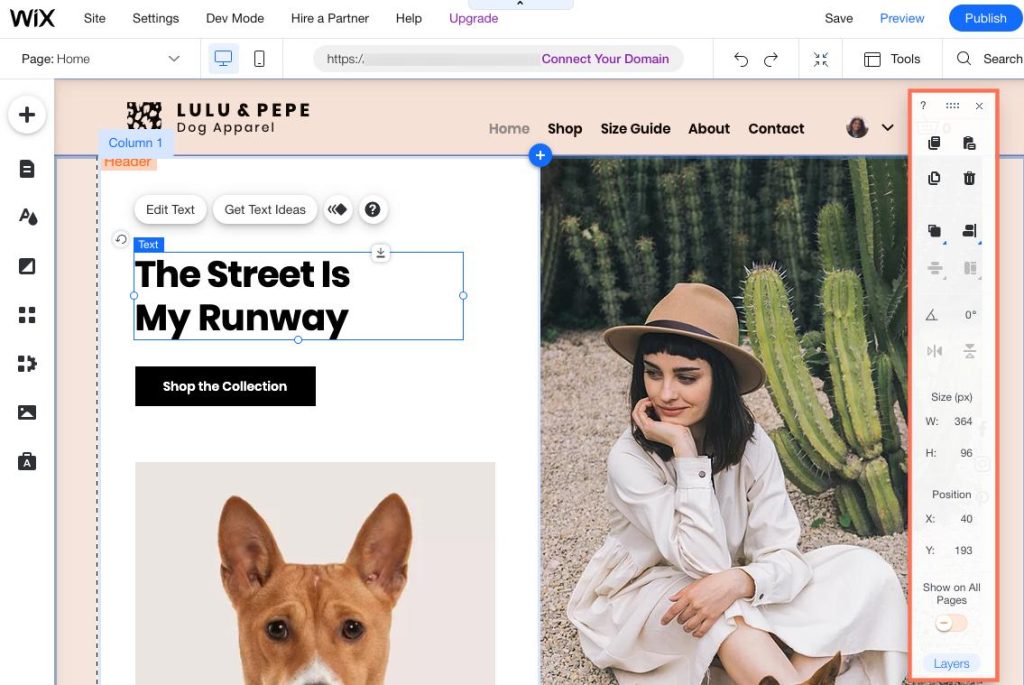
Wix is one of the best-known website-building platforms, offering visual design tools, customizable templates, hosting, and features for businesses, creators, and online stores.
One of Wix’s biggest advantages is its accessibility. Users can create a website by selecting a template and customizing its layout, typography, colors, images, and content through a visual editing environment. This makes it appealing to people who want a professional-looking website without learning how to write code.
Advantages of Wix
Drag-and-drop design: Wix provides visual editing tools that allow users to position and customize many page elements without directly editing source code.
Extensive template selection: Businesses can choose designs tailored to restaurants, consulting firms, photographers, online stores, portfolios, and many other industries.
Integrated business features: Depending on the plan and available apps, users can incorporate booking systems, contact forms, online payments, marketing tools, and customer management functionality.
AI-assisted website creation: Wix offers AI-supported features that can help users generate website layouts and content, making it easier to establish an initial design.
Hosting and maintenance: Website hosting and platform infrastructure are managed as part of the service, reducing the need to configure a separate server.
Wix is particularly useful for entrepreneurs, freelancers, small businesses, and individuals who want an approachable way to launch a website. Its primary trade-off is that users operate within a proprietary platform, which can limit the freedom to migrate a complete website to a different system.
2. WordPress: Flexibility, Content Management, and Customization


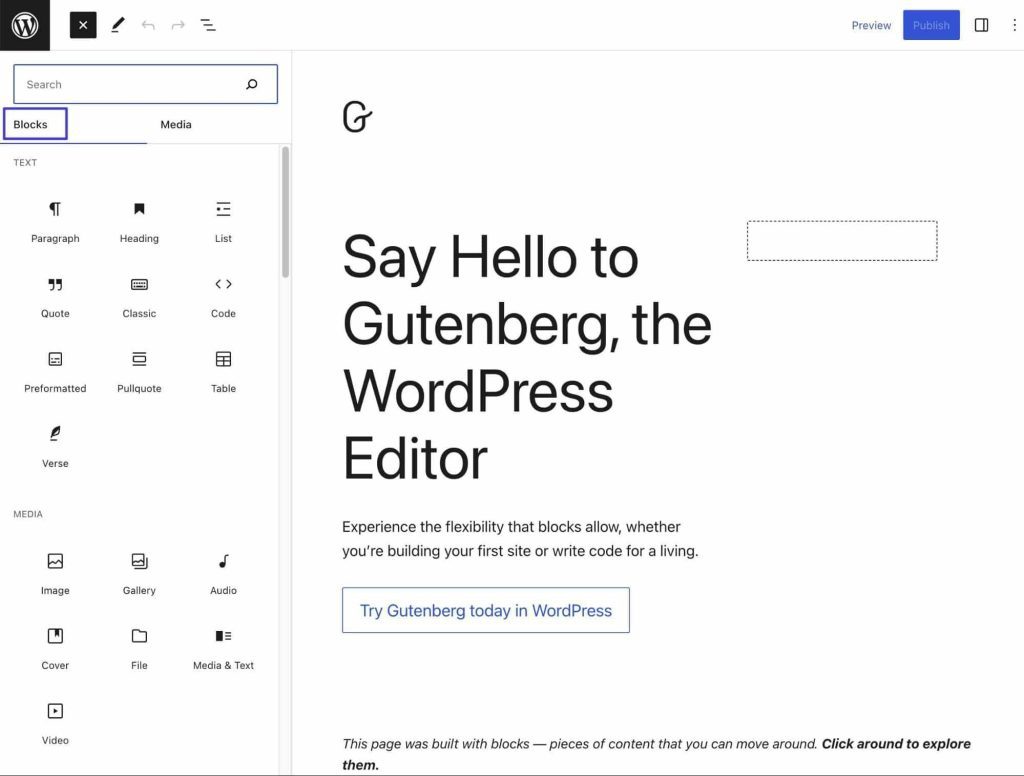
WordPress is one of the most widely used website platforms in the world. Its popularity comes from its flexibility, extensive ecosystem of themes and plugins, and ability to support websites ranging from personal blogs to sophisticated business publications.
It is important to distinguish between WordPress.org, the open-source software that can be installed on compatible hosting, and WordPress.com, a hosted service that provides managed website-building options. Their available features, pricing, and customization capabilities differ.
Advantages of WordPress
Extensive customization: Users can choose from thousands of themes and plugins to modify website appearance and functionality.
Strong publishing capabilities: WordPress was originally developed for publishing and remains particularly well suited to blogs, news websites, educational resources, and content-heavy businesses.
Search engine optimization: SEO plugins, customizable page titles, metadata, XML sitemaps, and structured content tools can help website owners optimize their content for search engines.
Large developer community: Because WordPress is widely adopted, users can find tutorials, documentation, developers, designers, and support resources.
Ownership and hosting flexibility: With a self-hosted installation, website owners generally have substantial control over their files, database, hosting environment, and source code.
Extensible functionality: Plugins can add membership systems, online stores, booking features, learning management, forums, and many other capabilities.
WordPress is an excellent choice for people who value control and want a website that can evolve as their needs change. However, self-hosted WordPress requires ongoing attention to updates, security, backups, compatibility, and performance. Its flexibility is a major advantage, but it also introduces additional responsibilities.
3. Shopify: A Powerful Platform for E-Commerce


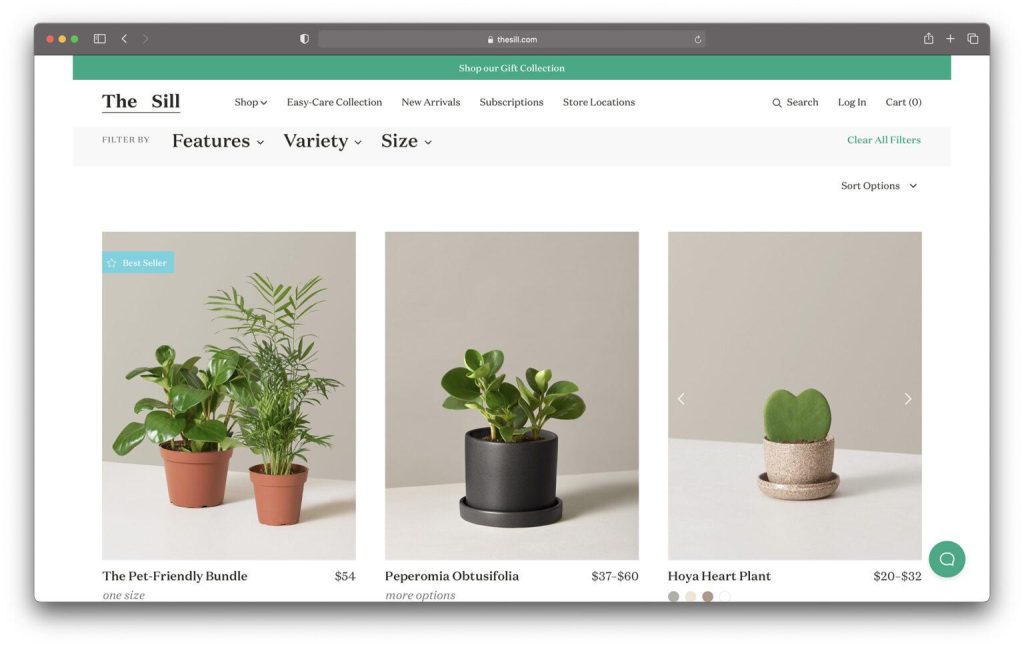
Shopify is one of the leading platforms for businesses that want to sell products online. Unlike general-purpose website builders, Shopify is designed primarily around commerce, making it particularly attractive to retailers, entrepreneurs, direct-to-consumer brands, and businesses expanding into online sales.
Shopify provides the infrastructure needed to build a storefront, display products, manage orders, accept payments, and coordinate inventory. Businesses can also integrate their stores with social media marketplaces and other sales channels.
Advantages of Shopify
- Comprehensive store management: Manage products, variants, inventory, customer orders, discounts, and shipping from a centralized dashboard.
- Secure checkout: Use established payment integrations and checkout functionality to help customers complete purchases.
- Multichannel selling: Connect online stores with supported social commerce platforms, marketplaces, and physical retail systems.
- Extensive app ecosystem: Add reviews, loyalty programs, subscriptions, marketing automation, and other capabilities.
- Business scalability: Access features and integrations that support businesses as product catalogs, order volumes, and sales operations grow.
- E-commerce analytics: Review sales trends, customer activity, and store performance to make better business decisions.
Shopify is an excellent choice when selling products is the primary purpose of a website. It can also accommodate digital products and other commerce models through suitable features and integrations.
Its main disadvantage is that subscription fees, payment processing, premium themes, and paid applications can increase operating costs. Businesses seeking highly specialized non-commerce websites may find a general-purpose content management system more flexible.
4. Squarespace: Professional Design and Beautiful Templates


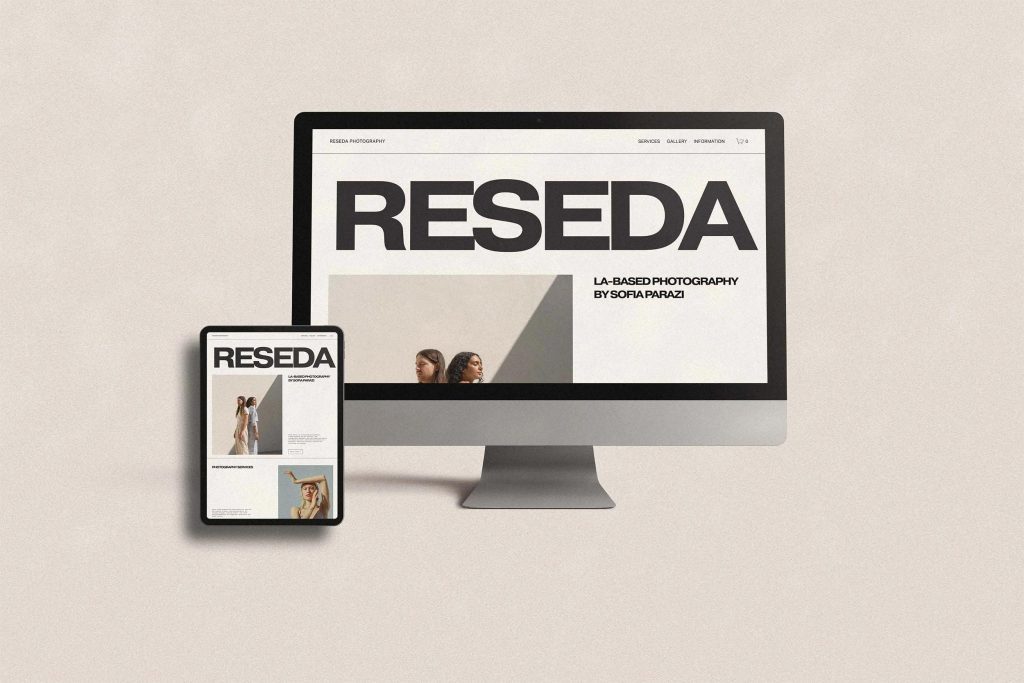
Squarespace is particularly popular among creative professionals, photographers, artists, consultants, restaurants, and businesses that want a visually polished website.
The platform emphasizes attractive templates, consistent typography, carefully designed layouts, and integrated publishing tools. Users can build a professional-looking website without needing to assemble numerous third-party plugins.
Advantages of Squarespace
High-quality design templates: Its templates provide a strong starting point for businesses that want a cohesive visual identity.
Consistent branding: Typography, colors, imagery, and layouts can be coordinated to create a recognizable brand experience.
Integrated blogging: Publishing tools help businesses share articles, announcements, educational resources, and company updates.
Portfolio presentation: Artists, photographers, designers, and other creative professionals can showcase their work through organized visual galleries.
Built-in commerce: Supported plans and features allow users to sell products, services, and other offerings directly through their websites.
Marketing tools: Depending on the plan, users can access SEO settings, email marketing integrations, analytics, and promotional features.
Squarespace is especially suitable for people who care about presentation and want a professional website without extensive technical maintenance. Its main trade-off is that it provides less freedom for deeply customized functionality than a self-hosted WordPress installation or a more developer-oriented platform.
5. Webflow: Advanced Visual Design and Development
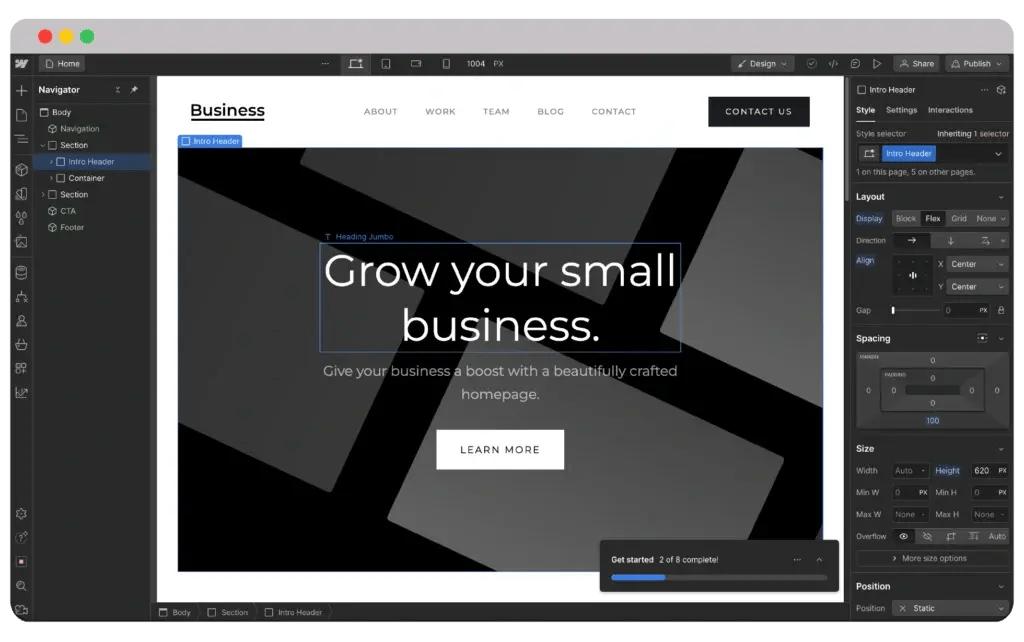
Webflow bridges the gap between traditional website builders and professional web development. It gives designers more direct control over layout, typography, responsive behavior, animations, and other aspects of website presentation.
Unlike simpler drag-and-drop tools, Webflow exposes concepts that are familiar to front-end developers, including CSS-based styling, reusable classes, responsive breakpoints, and structured content.
Advantages of Webflow
- Detailed design control: Designers can create sophisticated layouts and customize visual details beyond the limitations of many template-based builders.
- Responsive website creation: Pages can be designed and refined for desktop, tablet, and mobile screen sizes.
- Visual interactions: Animation and interaction tools help create engaging website experiences.
- Content management: Its CMS supports structured content such as articles, case studies, team profiles, and project portfolios.
- Professional workflows: Reusable design systems and shared components can help teams maintain consistency across larger websites.
- Managed infrastructure: Hosting options reduce the need to independently configure and maintain web servers.
Webflow is particularly useful for design agencies, startups, marketing teams, and businesses that need a custom visual experience without hand-coding every element.
However, the platform has a steeper learning curve than simpler builders. Advanced customization can require an understanding of web layout principles, and some complex application requirements may still require custom code or external services.
6. GoDaddy Website Builder: A Quick Way to Establish an Online Presence


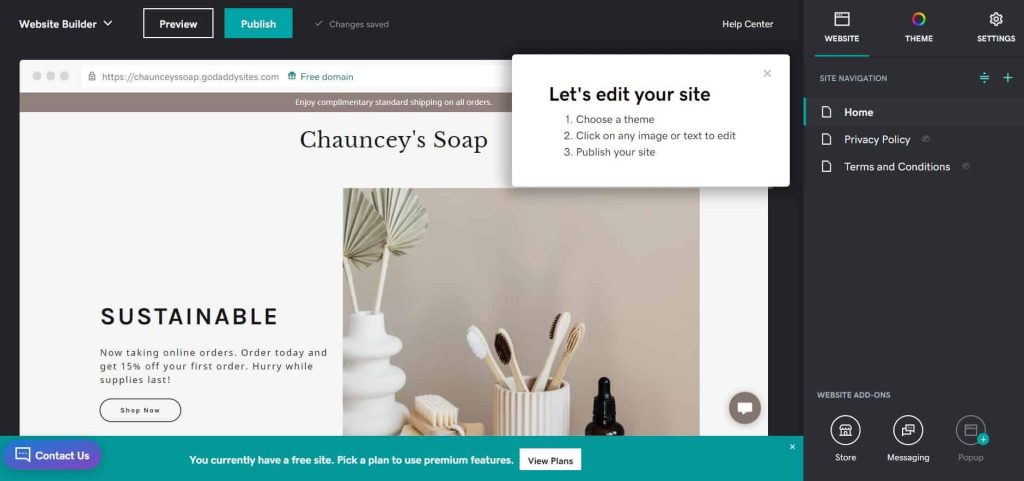
GoDaddy is widely known for domain registration and web hosting. Its website builder extends those services by allowing users to create websites through guided setup, customizable designs, and integrated business tools.
GoDaddy is designed for people who want to get online quickly without learning complicated development techniques.
Advantages of GoDaddy
Simple setup: Guided workflows help users create a basic website without navigating a complex design environment.
Domain integration: Users can conveniently manage domains and connect them to their websites through the same provider.
Small-business features: Depending on the plan, tools can support appointment scheduling, contact forms, marketing, and basic online selling.
Mobile-friendly designs: Templates provide a starting point for websites that need to work across different devices.
Centralized services: Combining domains, hosting, and website building can simplify administration for small businesses.
GoDaddy is a practical option for contractors, local service providers, consultants, and small businesses that need a straightforward website. Its principal limitation is that its design flexibility and advanced customization capabilities may not satisfy businesses with more demanding requirements.
7. Hostinger Website Builder: Affordable Website Creation


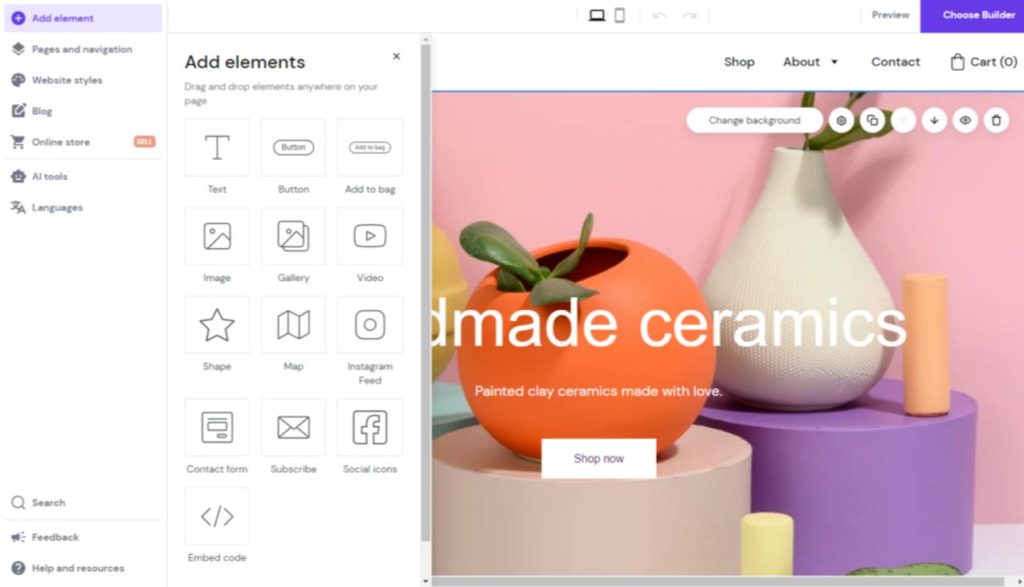
Hostinger offers a website builder intended to make website creation accessible to users with limited budgets and technical experience.
The platform combines visual editing, ready-made layouts, hosting, and AI-assisted tools. Depending on the current plan, users may be able to generate initial website content, customize layouts, and incorporate basic e-commerce functionality.
Advantages of Hostinger
- Budget-conscious pricing: Promotional subscriptions can make it an attractive starting point for individuals and small businesses.
- AI-assisted creation: Users can generate an initial website structure and then refine the content and appearance.
- Integrated hosting: Hosting is included with applicable website-building plans.
- Beginner-friendly editing: Visual tools simplify the process of arranging text, images, sections, and other page elements.
- Business essentials: Common features include contact forms, SEO settings, and supported online selling tools.
Hostinger is worth considering for personal websites, small business sites, landing pages, and early-stage projects where cost is an important consideration.
One important caution is that promotional prices and renewal prices can differ substantially. Before committing, review the full contract term, renewal costs, storage limits, commerce features, and available migration options.
8. Framer: Modern Websites for Designers and Startups


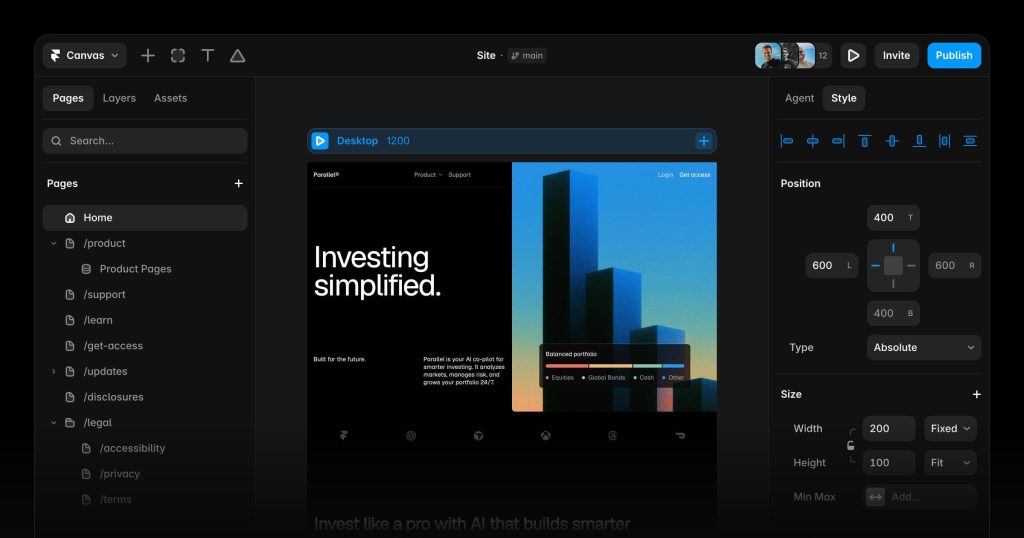
Framer is a design-focused website builder that appeals to designers, startups, and businesses that want modern, visually engaging websites. It is especially well suited to landing pages, startup websites, marketing sites, and creative portfolios.
Framer emphasizes visual design freedom, responsive layouts, animation, and rapid publishing. Designers can experiment with layouts and interactions before publishing their work to the web.
Advantages of Framer
- Design-oriented workflow: The visual canvas makes it easy to experiment with page layouts and presentation.
- Interactive experiences: Animation and transition capabilities can make websites feel more dynamic.
- Responsive design: Layouts can be adapted to different screen sizes.
- Rapid publishing: Teams can move from a design concept to a published website without building an entire custom front-end application.
- Collaboration: Design-oriented workflows help teams refine content and presentation.
Framer is a strong option for startups, designers, and marketing teams that prioritize visual quality and speed. However, organizations that require extensive back-end functionality, complex databases, or sophisticated business applications may need additional services or a different platform.
9. Weebly: Simple Websites for Individuals and Small Businesses


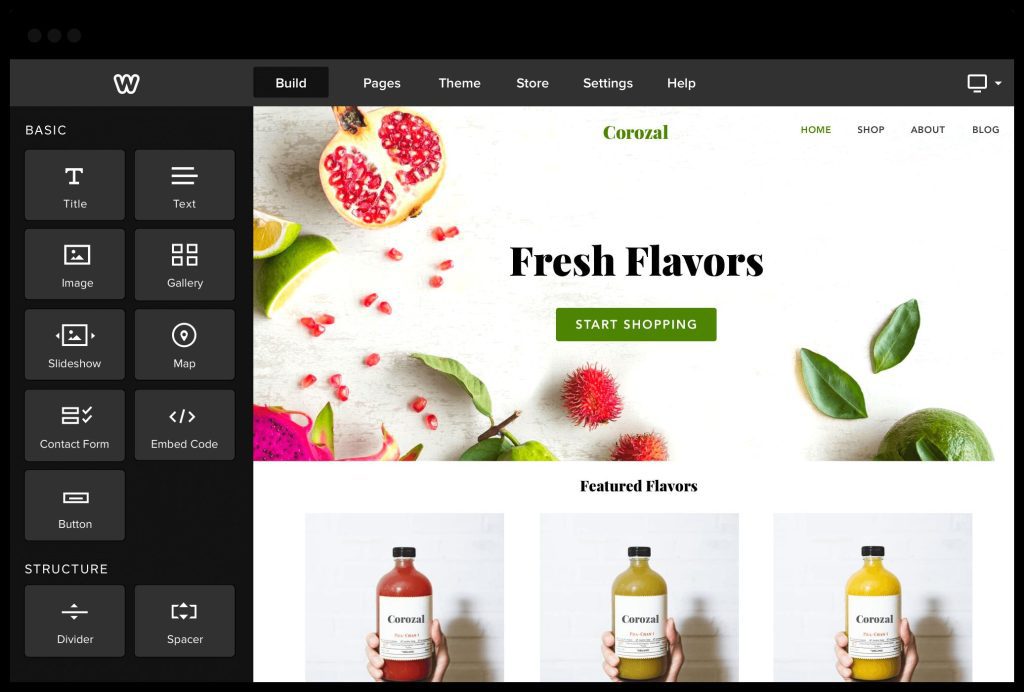
Weebly became popular by making website creation approachable for people without technical experience. Its visual editor and straightforward structure have made it useful for personal websites, small businesses, and basic online stores.
Advantages of Weebly
Easy visual editing: Users can arrange common page elements without manually writing HTML or CSS.
Beginner-friendly interface: Its relatively simple editing workflow reduces the learning curve for first-time website owners.
Basic commerce capabilities: Supported features allow users to create product listings and sell online.
Accessible website management: Users can manage site content through a centralized interface.
Straightforward website creation: The platform is suitable for people who need a basic online presence rather than a complex, highly customized website.
Weebly remains a name worth knowing when comparing website builders, although prospective users should verify its current availability, support, integrations, and future development plans before starting a new project. Businesses expecting significant growth should also evaluate more actively developed alternatives.
10. BigCommerce: E-Commerce for Growing Businesses


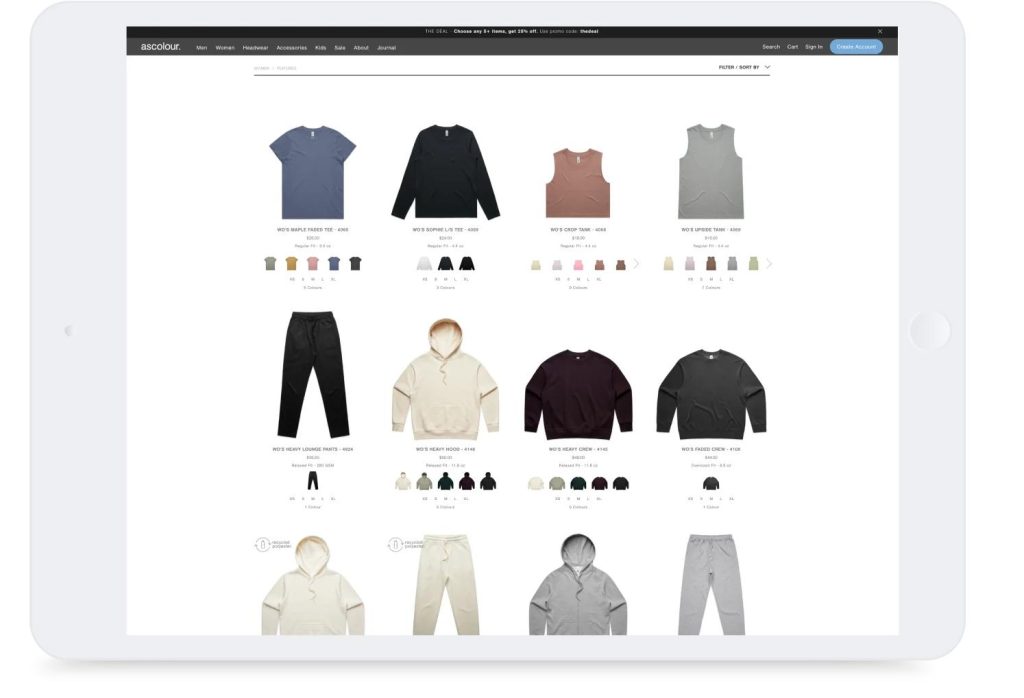
BigCommerce is an e-commerce platform designed for businesses that need more than a simple online storefront. It offers tools for managing product catalogs, orders, payment integrations, shipping, and other retail operations.
While Shopify is widely recognized for its accessible store-building experience, BigCommerce is another important contender for businesses with more sophisticated catalog and sales requirements.
Advantages of BigCommerce
- Commerce-focused functionality: Tools support product management, pricing, checkout, and order processing.
- Large product catalogs: Features can accommodate businesses managing extensive inventories and product variations.
- Integration capabilities: Supported integrations connect stores with external business systems, marketplaces, and other services.
- Growth-oriented infrastructure: Businesses can expand their online operations without having to build every commerce component from scratch.
- B2B and multichannel options: Depending on the plan and integrations, businesses can support more advanced sales models.
BigCommerce is worth evaluating for growing retailers, established online businesses, and companies with complex product catalogs. Its suitability depends on the store’s technical requirements, desired integrations, pricing, and preferred design workflow.
11. Elementor: More Visual Control for WordPress Websites


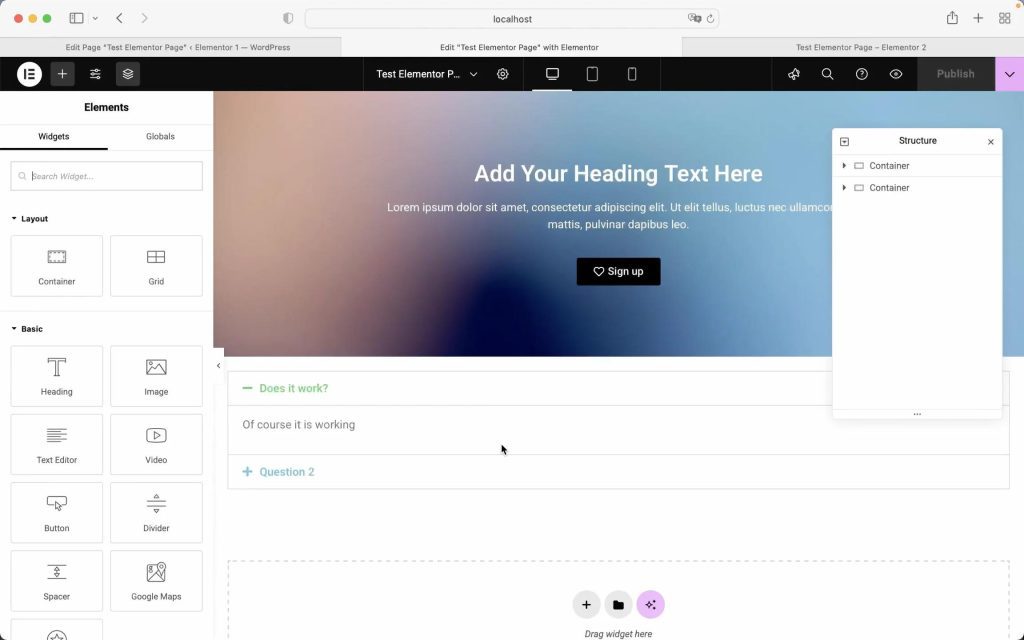
Elementor is a visual page-building tool that works with WordPress. It allows users to design page layouts, customize sections, and arrange content using a visual editor.
Elementor is particularly useful for people who want the content-management flexibility of WordPress but prefer a more visual approach to page design.
Advantages of Elementor
- Visual page editing: Users can design page layouts without manually writing every element of the page.
- Reusable design components: Templates and reusable sections help maintain consistency across a website.
- WordPress integration: Users can combine the builder with compatible WordPress themes and plugins.
- Landing-page design: It supports the creation of promotional pages, service pages, and conversion-focused layouts.
- Customization: Advanced features can provide control over headers, footers, templates, and other page elements, depending on the edition.
Elementor is not a separate all-in-one hosted platform in the same sense as Wix or Squarespace. It is part of the broader WordPress ecosystem, so website owners must account for hosting, plugin compatibility, updates, and performance.
12. Duda: Website Building for Agencies and Freelancers


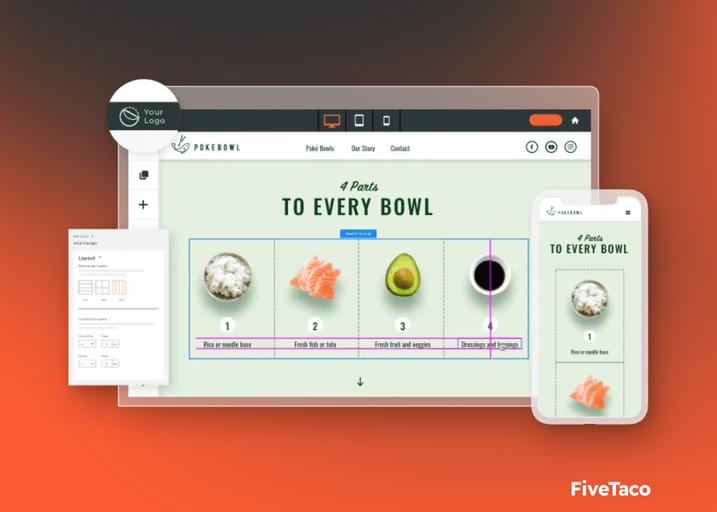
Duda focuses on helping agencies, freelancers, and professional service providers create and manage websites for multiple clients.
Rather than concentrating exclusively on individual website owners, Duda provides workflows intended to simplify client projects, website maintenance, and repeated production tasks.
Advantages of Duda
- Multi-site management: Agencies can manage multiple client websites within a professional workflow.
- Reusable components: Consistent layouts and design elements can reduce repetitive work.
- Client collaboration: Available tools help agencies involve clients in reviewing and managing their websites.
- Responsive templates: Designs can be adapted to desktops, tablets, and smartphones.
- Business-oriented workflows: Agency-focused capabilities can make it easier to deliver website projects at scale.
Duda is particularly useful for web design agencies and freelancers who regularly create websites for other businesses. Individual users building a single personal website may find its professional workflow unnecessary.
Comparing the Most Popular Website Builders
The best platform depends on what you want to build. Industry reviews consistently emphasize that different platforms excel in different areas, rather than one builder being the best for every project.
iTechGuides
+2
| Website builder | Best suited for | Primary advantage |
|---|---|---|
| Wix | Small businesses and beginners | Easy visual editing |
| WordPress | Blogs and content-rich websites | Extensive customization |
| Shopify | Online retailers | Comprehensive e-commerce |
| Squarespace | Creative professionals | Polished designs |
| Webflow | Designers and agencies | Detailed visual control |
| GoDaddy | Simple business websites | Quick setup |
| Hostinger | Budget-conscious projects | Affordable website creation |
| Framer | Startups and landing pages | Modern visual design |
| Weebly | Basic websites | Simplicity |
| BigCommerce | Growing online retailers | Advanced commerce capabilities |
| Elementor | WordPress page design | Visual page customization |
| Duda | Web design agencies | Client and multi-site management |
How to Choose the Right Website Builder
Before selecting a website builder, consider your goals, budget, technical experience, and long-term plans. A platform that works well for a personal blog may not be the best solution for a large online store or a website with specialized functionality.
1. Identify the Purpose of Your Website
Start by defining what your website needs to accomplish.
- Business website: Choose a platform that supports service pages, contact forms, customer inquiries, and lead generation.
- Blog or publication: Look for strong publishing tools, categories, search functionality, and content management.
- Online store: Prioritize product management, checkout, payments, shipping, and inventory.
- Creative portfolio: Focus on image galleries, typography, presentation, and responsive layouts.
- Custom web project: Consider WordPress, Webflow, or a custom development approach if your requirements exceed what a standard builder can provide.
2. Evaluate the Total Cost
Website builders often advertise introductory prices, but the total cost of ownership can include more than a monthly subscription.
Consider domain registration, hosting, premium templates, third-party applications, transaction fees, email hosting, payment processing, and renewal prices. Free plans can be useful for experimenting, but businesses generally benefit from a custom domain and the professional features available through paid plans.
Compare the total cost over at least one or two years rather than choosing a service based solely on its introductory offer.
3. Consider Customization and Flexibility
A website may begin with just a few pages and eventually expand to include customer accounts, membership features, online sales, interactive tools, and specialized content.
Think about how easily you can add new functionality as your business grows. Some builders make common tasks extremely easy but restrict deeper customization. Others provide considerable flexibility at the cost of additional complexity.
Also consider portability. Determine whether you can export your content, download your files, migrate your database, or move to another hosting provider if your requirements change.
4. Prioritize Search Engine Optimization
A professional website needs to be discoverable. Although no website builder can guarantee search engine rankings, a good platform should provide the technical and editorial tools needed to optimize your content.
Look for:
- Custom page titles and meta descriptions.
- Editable URL structures.
- XML sitemap generation.
- Mobile-friendly layouts.
- Image optimization and alternative text.
- Redirect management.
- Fast-loading pages and appropriate caching.
- Structured data support where relevant.
The quality of your content, the usefulness of your website, and the overall user experience remain important regardless of which builder you select.
5. Check Mobile Responsiveness and Accessibility
Visitors increasingly access websites through smartphones and tablets. Your website should remain readable, navigable, and functional across different screen sizes.
Test navigation menus, buttons, forms, images, and checkout flows on mobile devices. Pay attention to loading performance and ensure that important content is not hidden or difficult to interact with.
Accessibility matters as well. Use meaningful headings, sufficient color contrast, descriptive link text, keyboard-accessible controls, and alternative text for informative images. A well-designed website should serve as many visitors as reasonably possible.
6. Examine Security and Maintenance
Security should be considered from the beginning rather than after a problem occurs.
Hosted website builders generally manage much of the underlying infrastructure, while self-hosted systems such as WordPress require greater attention to updates, backups, permissions, and plugin security.
Whichever platform you choose, use strong authentication, enable multifactor authentication where available, keep software updated, maintain appropriate backups, and ensure that sensitive information is handled securely.
The Future of Website Builders: Artificial Intelligence and No-Code Development
Artificial intelligence is changing how websites are designed, developed, and maintained. Many modern platforms now offer AI-assisted website generation, content drafting, image creation, and design recommendations.
TechRadar
+1
Instead of beginning with a blank page, a user may be able to describe a business, identify its target audience, and generate an initial website structure. The user can then refine the content, adjust the layout, and publish the finished site.
These capabilities can reduce the time required to establish an online presence, particularly for small businesses and individuals who lack technical experience.
However, AI-generated websites still require human judgment. Generated copy may contain inaccuracies, designs may overlook accessibility requirements, and automated layouts may not reflect the needs of a particular audience. Business owners should review their content, test their websites, and verify that forms, integrations, and other functions work correctly.
Another important development is the growing distinction between no-code, low-code, and traditional development.
No-code tools allow users to build websites through visual interfaces with little or no programming. Low-code platforms provide visual tools alongside opportunities to add custom code. Traditional development gives experienced developers greater control over architecture, functionality, and technical implementation.
These approaches can complement one another. A company might use a visual builder for its marketing website while relying on custom software for its main product or business operations.
Conclusion: Finding the Best Website Builder for Your Needs
Website builders have made professional website creation more accessible to individuals, entrepreneurs, and businesses of all sizes. Platforms such as Wix, WordPress, Shopify, Squarespace, Webflow, and their competitors offer different combinations of usability, design flexibility, publishing capabilities, and business functionality.
For beginners who want a straightforward visual editor, Wix is a strong starting point. For content-heavy websites and extensive customization, WordPress deserves serious consideration. Shopify is particularly suitable for dedicated online stores, while Squarespace is attractive to design-conscious businesses. Webflow and Framer appeal to users who want more control over modern visual experiences.
The most popular platform is not necessarily the best platform for every project. Your decision should reflect the purpose of your website, the features you need, the amount of control you want, your available budget, and your plans for future growth.
Ultimately, a successful website depends on more than the software used to create it. Clear content, thoughtful information architecture, accessible design, strong security, effective search engine optimization, and a positive user experience all contribute to its success.
By carefully evaluating the available options and choosing a builder that supports your goals, you can establish a professional online presence today while giving yourself room to grow tomorrow.
Editorial note: Platform features, subscription plans, and product availability can change. Review each provider’s current documentation and pricing before making a final decision.

With 23+ years in the Web Hosting Industry, Brian has had the opportunity to design websites for some of the largest companies in the industry. Brian currently holds the position as Co-Founder and Creative Director at WebHosting,coop Internet Cooperative