
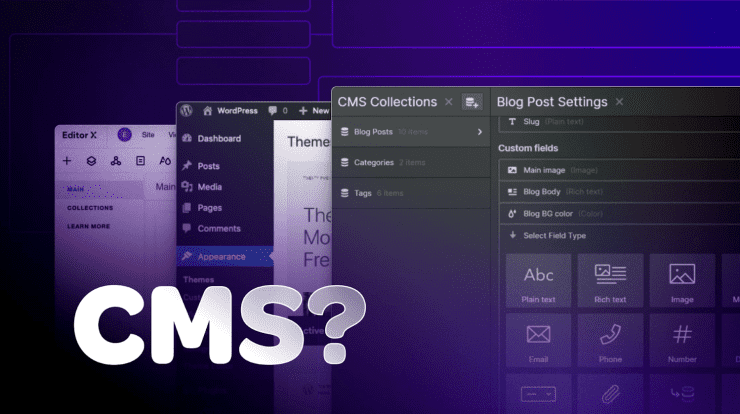
If you’ve ever wondered how websites are created, updated, and managed without writing endless lines of code, the answer often comes down to one powerful tool: a Content Management System, or CMS. For beginners stepping into the world of websites, blogging, or online business, understanding what a CMS is—and the different types available—can make the entire process far less intimidating.
In this guide, we’ll walk through what a CMS does, why it matters, and explore the various types of CMS platforms you can use depending on your needs.
Understanding What a CMS Is
A Content Management System (CMS) is software that allows you to create, manage, and modify digital content on a website without needing advanced technical skills. Instead of manually coding web pages using HTML, CSS, or JavaScript, a CMS provides a user-friendly interface where you can build and update your site visually.
At its core, a CMS separates content from design. This means you can change how your site looks without affecting the actual content, and vice versa. It typically consists of two main components:
- A Content Management Application (CMA), which is the interface you use to create and manage content
- A Content Delivery Application (CDA), which takes that content and displays it to visitors
This separation is what makes CMS platforms so powerful and accessible.
Why CMS Platforms Are Important
Before CMS platforms became widely available, building a website required technical expertise. Every page had to be coded manually, and even small updates could be time-consuming.
Today, CMS platforms make it possible for beginners to:
- Launch websites quickly
- Update content in real time
- Manage media like images and videos
- Customize design using themes or templates
- Add functionality through plugins or extensions
This ease of use has opened the door for millions of people to create blogs, business websites, portfolios, and online stores.
Key Features of a CMS
While each CMS platform is different, most share a set of common features that make them effective:
Content Editing
A built-in editor allows you to write and format content much like a word processor. Many CMS platforms include drag-and-drop builders for even easier customization.
Media Management
You can upload, organize, and insert images, videos, and documents without needing external tools.
Themes and Templates
Themes control the look and layout of your website. You can switch themes without rewriting your content.
Plugins and Extensions
Plugins add extra features such as contact forms, SEO tools, or eCommerce capabilities.
User Management
You can assign roles (like admin, editor, or contributor) to control who can access and edit different parts of your site.
Different Types of CMS Platforms
Not all CMS platforms are the same. They’re designed for different use cases, technical skill levels, and business goals. Let’s explore the main types of CMS systems.
Traditional (Monolithic) CMS
A traditional CMS is the most common type. It handles both the backend (content management) and frontend (how the website looks) in one system.
One of the most well-known examples is WordPress, which powers a large portion of the internet. Other examples include Joomla and Drupal.
These platforms are popular because they are:
- Beginner-friendly
- Highly customizable
- Supported by large communities
However, they can sometimes become complex as your website grows.
Headless CMS
A headless CMS takes a different approach. It separates the backend content management system from the frontend presentation layer entirely.
Instead of controlling how content is displayed, a headless CMS delivers content via APIs to any platform—websites, mobile apps, or even smart devices.
Examples include Contentful and Strapi.
This type of CMS is ideal for developers who want:
- Flexibility in design
- Multi-platform content delivery
- Faster performance
For beginners, however, it may require more technical knowledge.
Decoupled CMS
A decoupled CMS is similar to a headless CMS but still provides a default frontend. You can use the built-in frontend or connect your own custom one.
This gives you a balance between ease of use and flexibility.
Examples include systems like Kentico and Adobe Experience Manager.
eCommerce CMS
An eCommerce CMS is specifically designed for online stores. It includes features like product management, shopping carts, and payment processing.
Popular examples include Shopify, Magento, and WooCommerce.
These platforms are tailored for:
- Selling products online
- Managing inventory
- Handling customer orders
They often include built-in tools for marketing and analytics as well.
Enterprise CMS
Enterprise CMS platforms are built for large organizations that need advanced features, scalability, and security.
Examples include Sitecore and Oracle WebCenter.
These systems typically offer:
- Advanced user permissions
- Integration with other business tools
- High-level security features
They are powerful but often require significant resources and expertise.
Open Source CMS
Open source CMS platforms are free to use and allow developers to modify their source code.
Examples include WordPress, Drupal, and Joomla.
Benefits include:
- No licensing fees
- Large communities
- Extensive customization
However, you are responsible for hosting, updates, and security.
SaaS (Cloud-Based) CMS
A Software-as-a-Service (SaaS) CMS is hosted in the cloud and managed by the provider. You don’t need to worry about installation, hosting, or maintenance.
Examples include Wix and Squarespace.
These platforms are ideal for beginners because they offer:
- Simple setup
- All-in-one solutions
- Built-in hosting and support
The trade-off is less flexibility compared to open source options.
Static Site Generators (Hybrid CMS)
Static site generators are a more modern approach to content management. They generate static HTML files that are fast and secure.
Examples include Jekyll and Hugo.
These are best suited for:
- Developers
- Performance-focused websites
- Simple content structures
They require more technical knowledge but offer excellent speed and security.
Choosing the Right CMS
Selecting the right CMS depends on your goals, technical skills, and budget.
If you’re a beginner, platforms like WordPress or Wix are great starting points.
If you’re building an online store, Shopify or WooCommerce might be better choices.
For developers or large businesses, a headless CMS like Contentful or an enterprise solution like Sitecore may be more suitable.
Advantages of Using a CMS
Using a CMS offers several advantages:
- No need for advanced coding skills
- Faster website development
- Easy content updates
- Scalable as your site grows
- Access to themes and plugins
These benefits make CMS platforms the backbone of modern web development.
Potential Drawbacks
While CMS platforms are powerful, they’re not perfect:
- Some platforms can be limited in customization
- Plugins and themes may cause compatibility issues
- Security risks if not updated regularly
- Performance can vary depending on configuration
Understanding these drawbacks helps you make informed decisions.
The Future of CMS Platforms
The CMS landscape continues to evolve. Headless and hybrid CMS platforms are becoming more popular as businesses look for flexibility and multi-channel content delivery.
Artificial intelligence and automation are also being integrated into CMS platforms, making it easier to personalize content and improve user experiences.
Final Thoughts
A Content Management System is one of the most important tools for anyone looking to build and manage a website. It simplifies complex processes, making web development accessible to beginners while still offering powerful features for advanced users.
From traditional platforms like WordPress to modern headless systems like Contentful, there’s a CMS for every need and skill level.
The key is to choose a platform that aligns with your goals and provides the flexibility you need to grow. With the right CMS, you can focus less on technical challenges and more on creating valuable content and building your online presence.
In today’s digital world, a CMS isn’t just a convenience—it’s a necessity.

With 23+ years in the Web Hosting Industry, Brian has had the opportunity to design websites for some of the largest companies in the industry. Brian currently holds the position as Co-Founder and Creative Director at WebHosting,coop Internet Cooperative