
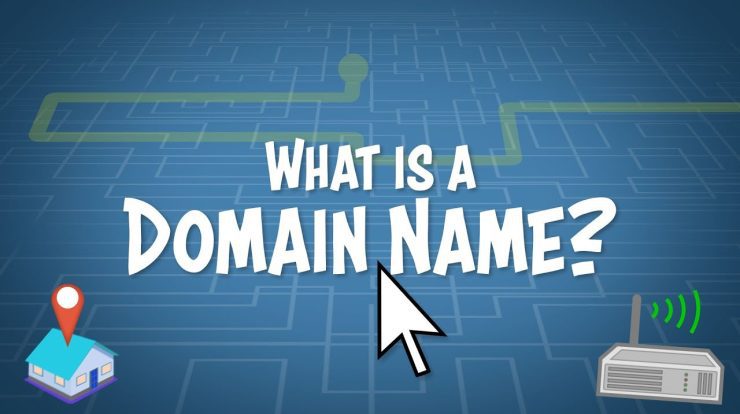
Introduction to Domain Names
A domain name is one of the most fundamental building blocks of the internet, yet for many beginners it remains a bit of a mystery. You type a simple address like “example.com” into your browser, and somehow you end up on a fully functioning website. Behind that simplicity is a system that has been carefully designed to make the internet usable for humans while still working efficiently for computers. Understanding how domain names work is an important step for anyone looking to build a website, start an online business, or simply gain a deeper appreciation of how the web operates.
What Is a Domain Name?
At its core, a domain name is the human-friendly address of a website. Computers do not actually understand names like “google.com” or “yourbusiness.ca.” Instead, they communicate using numerical IP addresses, which look something like 192.168.1.1 or 172.217.3.110. These numbers are precise and functional, but they are not easy for people to remember.
Domain names exist to bridge that gap. They act as a translation layer, allowing users to access websites using simple, memorable words instead of long strings of numbers. Think of it as a contact name in your phone—much easier to remember than a long phone number.
How the Internet Finds a Website
To understand how domain names work, imagine the internet as a massive city. Every building in that city has a unique number, which represents its IP address. If you wanted to visit a building, you could technically memorize its number, but it would be far more convenient if each building also had a recognizable name.
When you type a domain name into your browser, a process begins that happens in a fraction of a second. Your device needs to figure out where that website actually lives.
Understanding DNS (Domain Name System)
The system responsible for this lookup is called the Domain Name System, or DNS. It acts like a global directory or phone book for the internet. Its job is to take the domain name you entered and find the corresponding IP address so your browser knows where to go.
Here’s how the process works:
Your device first contacts a DNS resolver, usually provided by your internet service provider. If the resolver already has the answer stored (cached), it immediately returns the IP address. If not, it queries a series of servers:
- Root servers
- Top-level domain (TLD) servers
- Authoritative name servers
Each step narrows down the search until the correct IP address is found. Once the resolver has the answer, it sends it back to your browser, which then connects to the web server hosting the website.
This entire process usually takes just milliseconds, making the experience feel instant.
The Structure of a Domain Name
Domain names are organized in a hierarchical structure. For example, in “www.example.com,” each part has a specific role.
The “.com” portion is called the top-level domain (TLD). This is the extension at the end of the domain name. Common examples include .com, .org, .net, and country-specific ones like .ca.
The “example” portion is the second-level domain. This is the main name you choose and is typically your brand or business name.
The “www” part is a subdomain. Subdomains are optional and can be used to organize different sections of a website, such as blog.example.com or shop.example.com.
Registering a Domain Name
Registering a domain name means claiming a unique name for your website. This is done through a domain registrar, which is a company authorized to manage domain registrations.
When you register a domain, you are not buying it permanently. Instead, you are renting it for a period of time, usually one year. As long as you keep renewing it, the domain remains yours.
Since domain names are unique, no two people can own the same domain at the same time. If the name you want is already taken, you will need to choose another or try to purchase it from the current owner.
Connecting a Domain to Web Hosting
Once you have a domain name, you need to connect it to a web hosting service. Web hosting is where your website’s files, images, and content are stored.
The domain name acts as the address, while the hosting server is the actual location where your website lives. To link the two, you update the domain’s DNS settings so they point to your hosting provider.
This ensures that when someone types your domain name into their browser, they are directed to the correct server and can view your website.
Domain Name Security
Security is an essential part of managing a domain name. One of the most common features you will encounter is SSL (Secure Sockets Layer).
When a website has SSL enabled, its address begins with “https” instead of “http.” This means the connection is encrypted, protecting sensitive data such as login credentials and payment information.
Another important feature is domain privacy. When you register a domain, your contact information is often listed in a public WHOIS database. Domain privacy services hide your personal details and replace them with generic information, helping protect you from spam and unwanted contact.
Understanding DNS Zone Files
As you move beyond the basics of domain names, you will encounter something called a DNS zone file. This is a crucial but often overlooked component of how domains function behind the scenes.
A DNS zone file is essentially a text-based file that contains all the DNS records for a specific domain. Think of it as the instruction manual for your domain name. While DNS as a whole acts like a global phone book, the zone file is your domain’s personal entry in that phone book, detailing exactly how traffic should be handled.
Every time someone visits your website, sends you an email, or interacts with any service tied to your domain, the information in your zone file helps guide that request to the correct destination.
Inside a DNS zone file, you will find different types of records, each with a specific purpose:
An A record connects your domain to an IP address. This is what tells browsers where your website is hosted.
A CNAME record allows one domain or subdomain to point to another domain name instead of an IP address. This is often used for aliases, such as pointing “www” to your main domain.
MX records handle email routing. They tell the internet which mail servers are responsible for receiving email on behalf of your domain.
TXT records are used to store text-based information. These are commonly used for verification purposes, such as proving ownership of a domain or improving email security with SPF and DKIM settings.
NS records define which name servers are authoritative for your domain. These are critical because they determine where your DNS zone file is hosted.
For beginners, you usually will not need to manually edit a zone file directly. Most domain registrars and hosting providers offer user-friendly control panels where you can add or modify DNS records without dealing with raw text files. However, understanding what a zone file is and how it works gives you greater control and confidence when managing your domain.
It is also important to know that changes to a DNS zone file do not take effect instantly. This delay is called propagation, and it can take anywhere from a few minutes to up to 48 hours, depending on caching and network conditions. During this time, some users may see the old settings while others see the updated ones.
Choosing the Right Domain Name
Choosing the right domain name is both a creative and strategic process. A good domain name should be easy to spell, easy to remember, and relevant to your content or business.
Avoid complicated words, unnecessary numbers, and excessive hyphens. Simplicity is key. If people can easily recall your domain name, they are more likely to return to your site.
You should also consider the domain extension. While .com is the most popular, other options like .ca can be useful if you are targeting a Canadian audience. Industry-specific extensions like .tech or .store can also add relevance to your brand.
Domain Names as Digital Assets
Over time, domain names have become valuable digital assets. A strong domain name can improve branding, increase credibility, and make your website easier to find.
Some domain names are considered premium and can be sold for large sums of money. These are usually short, memorable, or keyword-rich names that have high demand.
Even if you are just starting out, it is worth thinking of your domain name as an investment in your online presence.
Managing Your Domain Name
Owning a domain name comes with ongoing responsibilities. You need to renew it regularly to maintain ownership. If a domain expires and is not renewed, it can be purchased by someone else.
Many registrars offer auto-renewal to help prevent this. It is also important to keep your contact information up to date and monitor your domain for any unauthorized changes.
Understanding DNS Records
As you gain more experience, you may encounter DNS records. These are instructions within the DNS system that control how your domain behaves.
For example, an A record connects your domain to an IP address, while MX records are used for email services. These records allow you to configure your domain for different uses, such as hosting a website or setting up professional email addresses.
Domain Forwarding and Redirects
Domain forwarding allows you to redirect one domain to another. This is useful if you own multiple domain variations or want to guide users to a single main website.
For example, you might redirect “yourbusiness.net” to “yourbusiness.com.” This helps capture additional traffic and protects your brand.
Common Mistakes Beginners Make with Domain Names
When starting out, many beginners make a few avoidable mistakes when choosing and managing domain names. One of the most common is selecting a domain that is too complicated. Long phrases, unusual spellings, or too many hyphens can make it difficult for users to remember or type correctly.
Another frequent mistake is failing to secure similar domain variations. If you only register one version of your domain, competitors or opportunists might register similar names and benefit from your traffic. Purchasing common variations or misspellings can help protect your brand.
Beginners also sometimes forget to renew their domains. This can be a costly mistake, especially if the domain is tied to a business or brand. Once a domain expires, it can quickly be picked up by someone else.
Finally, ignoring DNS settings can lead to confusion. Misconfigured DNS records can cause websites or email services to stop working properly. Even a small mistake in a zone file can result in downtime, which is why it is important to double-check changes.
Email and Domains: How They Work Together
Domain names are not just for websites—they also play a key role in email. When you create a professional email address like info@yourbusiness.com, your domain is what makes that possible.
This is handled through MX (Mail Exchange) records in your DNS zone file. These records tell the internet where to deliver incoming email for your domain. Without properly configured MX records, emails sent to your domain would not reach your inbox.
In addition to MX records, modern email systems rely on additional DNS records like SPF, DKIM, and DMARC. These help verify that emails sent from your domain are legitimate and not forged by spammers. For businesses, setting these up correctly is essential for maintaining email deliverability and trust.
Domain Transfers and Ownership
At some point, you may want to transfer your domain from one registrar to another. This could be due to better pricing, improved features, or consolidating your domains under one provider.
Domain transfers are generally straightforward but involve a few steps. You typically need to unlock the domain, obtain an authorization code, and initiate the transfer with the new registrar. Once approved, the domain is moved without affecting your website, as long as DNS settings remain unchanged.
Understanding ownership is also important. Always ensure that your domain is registered in your name or your business’s name, not a third party. This gives you full control and prevents potential disputes in the future.
The Future of Domain Names
The world of domain names continues to evolve as the internet grows. New domain extensions are constantly being introduced, giving users more choices than ever before.
Technologies like decentralized domains and blockchain-based naming systems are also emerging, offering alternative ways to manage domain ownership. While these are still developing, they could shape the future of how we interact with the internet.
Despite these changes, the core purpose of domain names remains the same: to provide a simple and accessible way for people to navigate the internet.
Conclusion
For beginners, domain names might seem complex at first, but they are actually quite straightforward once you understand the basics. They are simply addresses that connect users to websites, supported by a powerful system working behind the scenes.
By learning how domain names function, how to register them, and how DNS zone files and records work together, you can confidently take your first steps into building an online presence.
Whether you are starting a personal project or launching a business, your domain name is often the first impression people will have of your website. Choosing and managing it wisely can set the foundation for long-term success online.

With 23+ years in the Web Hosting Industry, Brian has had the opportunity to design websites for some of the largest companies in the industry. Brian currently holds the position as Co-Founder and Creative Director at WebHosting,coop Internet Cooperative