
Introduction
When people first begin building websites or web applications, they often focus on things like domain names, web design, and choosing a hosting company. Eventually, however, they start hearing technical terms like CPU, storage, bandwidth, and RAM. One of the most confusing of these terms for beginners is RAM.
Many people ask questions such as:
- How much RAM do I need for my website?
- Why does my application slow down?
- What happens if I run out of RAM?
- How do I upgrade my hosting memory?
- Is more RAM always better?
Understanding RAM is extremely important because it directly affects the speed, stability, and performance of your web application. Whether you are running a simple blog, an online store, a custom application, or a large social platform, RAM plays a major role in how your server performs.
The good news is that you do not need to be a systems engineer to understand the basics. Once you understand what RAM does and how hosting providers allocate it, choosing the right hosting plan becomes much easier.
This guide explains RAM in simple language for beginners and helps you understand how much memory your web application may need depending on your traffic, software, and hosting environment.
What Is RAM?
Understanding RAM in Simple Terms
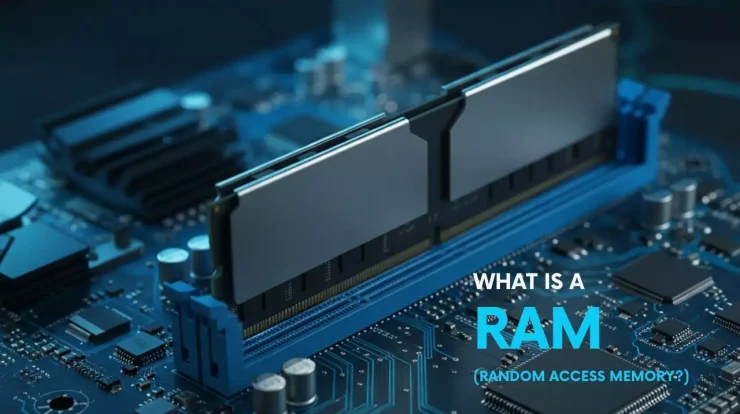
RAM stands for Random Access Memory. It is temporary high-speed memory that your server uses while actively running programs and processing requests.
A simple way to think about RAM is to imagine a work desk.
Your storage drive, such as an SSD or NVMe drive, acts like a filing cabinet where information is permanently stored. RAM acts like the desk itself where active work happens.
The larger the desk, the more papers, tools, and projects you can work on at the same time without becoming disorganized.
If the desk is too small, things become crowded and slow. You may need to constantly move items back and forth between the desk and filing cabinet, which wastes time.
Servers work the same way.
RAM temporarily stores:
- Active website visitors
- Running applications
- Database queries
- Cached files
- Sessions
- Temporary processing data
- Web server processes
The more RAM your server has, the more tasks it can handle simultaneously.
Why RAM Matters for Web Applications
Every Visitor Uses Memory
Whenever someone visits your website or web application, the server uses RAM to process that request.
For example, when a visitor:
- Opens a webpage
- Logs into an account
- Searches a database
- Uploads a file
- Places an order
- Uses a chat feature
…the server temporarily uses memory to handle those actions.
If too many visitors arrive at the same time and your server does not have enough RAM, your application may become slow or even crash.
Modern Applications Require More Memory
Years ago, websites were mostly static HTML pages. Those websites required very little memory.
Modern applications are much more advanced. Today’s websites often include:
- Databases
- User accounts
- Shopping carts
- APIs
- Video streaming
- AI features
- Real-time notifications
- Search engines
- Content management systems
All of these features require additional memory.
This is one reason hosting requirements have increased significantly over the past decade.
RAM vs Storage: Understanding the Difference
RAM Is Temporary
Many beginners confuse RAM with storage space.
Storage refers to permanent data saved on your server, such as:
- Website files
- Images
- Videos
- Databases
- Backups
RAM is temporary working memory used while the server is actively processing tasks.
When the server restarts, RAM is cleared.
Why Fast RAM Matters
RAM is dramatically faster than traditional storage drives.
Even modern NVMe SSDs are still much slower than RAM.
This speed difference matters because applications constantly move data in and out of memory while operating.
Fast RAM helps applications respond quickly and smoothly.
How Much RAM Does a Small Website Need?
Personal Blogs and Simple Websites
If you are running a small website with minimal traffic, your RAM requirements are usually fairly low.
Examples include:
- Personal blogs
- Portfolio websites
- Small informational websites
- Basic landing pages
These types of websites may run comfortably with:
- 512MB RAM
- 1GB RAM
- 2GB RAM
Many shared hosting providers successfully host small websites with relatively small amounts of memory because traffic levels remain manageable.
WordPress Websites
WordPress is one of the most popular website platforms in the world.
A basic WordPress website with a lightweight theme and few plugins may operate well with:
- 1GB RAM
- 2GB RAM
However, larger WordPress sites with many plugins often require significantly more memory.
Plugins such as:
- WooCommerce
- Elementor
- Membership systems
- Analytics tools
- Backup software
…can consume large amounts of RAM.
A busy WordPress site may need:
- 4GB RAM
- 8GB RAM
- 16GB RAM
depending on traffic levels and complexity.
RAM Requirements for Different Types of Applications
eCommerce Websites
Online stores typically require more RAM than simple websites.
This is because eCommerce platforms constantly process:
- Product searches
- Shopping carts
- User sessions
- Payment systems
- Inventory management
- Customer accounts
Platforms like WooCommerce, Magento, and Shopify-style custom applications can become memory intensive very quickly.
Small online stores may operate with:
- 2GB to 4GB RAM
Medium-sized stores may require:
- 8GB to 16GB RAM
Large stores with heavy traffic may need:
- 32GB RAM or more
Forums and Social Platforms
Community-driven websites often consume significant memory because many users interact simultaneously.
Examples include:
- Forums
- Social networks
- Chat applications
- Discussion boards
These applications constantly update content in real time, increasing RAM usage.
Video and Streaming Platforms
Video hosting platforms require large amounts of memory, especially if they process uploads or transcode videos.
Streaming applications may need:
- 16GB RAM
- 32GB RAM
- 64GB RAM or more
depending on workload size.
What Happens When You Run Out of RAM?
Slow Performance
The first symptom of low memory is usually poor performance.
Your website may:
- Load slowly
- Freeze temporarily
- Timeout during requests
- Respond inconsistently
Server Swapping
When RAM becomes full, servers often begin using storage drives as emergency overflow memory. This process is called swapping.
Swapping is much slower than using real RAM.
This can dramatically reduce performance.
Application Crashes
If memory becomes critically low, applications may crash entirely.
Common symptoms include:
- Internal server errors
- Database failures
- White screens
- Application restarts
- Random downtime
For web hosting companies, insufficient RAM can create major stability issues.
Understanding Shared Hosting Memory Limits
Shared Hosting Explained
Shared hosting places many websites on the same physical server.
All users share server resources, including:
- CPU
- RAM
- Storage
- Bandwidth
This helps keep hosting inexpensive.
Memory Restrictions
Most shared hosting plans limit how much RAM each account can use.
For example:
- 512MB RAM limit
- 1GB RAM limit
- 2GB RAM limit
If your application exceeds those limits, your website may slow down or receive temporary restrictions.
Shared Hosting Is Good for Beginners
Shared hosting works well for:
- New websites
- Small blogs
- Low-traffic projects
- Beginner developers
However, growing applications often eventually outgrow shared hosting environments.
VPS Hosting and RAM Allocation
What Is VPS Hosting?
VPS stands for Virtual Private Server.
A VPS divides a physical server into multiple isolated virtual servers.
Each VPS receives dedicated resources such as:
- RAM
- CPU cores
- Storage
- Operating system access
Unlike shared hosting, VPS users usually receive guaranteed memory allocations.
Easier RAM Upgrades
One major advantage of VPS hosting is scalability.
If your application grows, many providers allow you to upgrade RAM easily.
For example:
- 2GB VPS
- 4GB VPS
- 8GB VPS
- 16GB VPS
Many cloud hosting providers allow these upgrades instantly without migrating servers.
VPS Hosting for Growing Applications
VPS hosting works well for:
- Medium-sized websites
- Growing eCommerce stores
- APIs
- SaaS applications
- Custom software
It provides more control and stability than shared hosting.
Dedicated Servers and Large Memory Configurations
Full Physical Servers
Dedicated servers provide an entire physical machine for one customer.
This means all server resources belong to a single user.
Dedicated servers may include:
- 32GB RAM
- 64GB RAM
- 128GB RAM
- 256GB RAM or more
Ideal for Large Applications
Dedicated servers work well for:
- Large businesses
- Enterprise applications
- AI systems
- High-traffic websites
- Massive databases
They also allow more advanced customization and hardware upgrades.
Cloud Hosting Makes RAM Scaling Easier
Flexible Infrastructure
Cloud hosting has become extremely popular because it allows applications to scale dynamically.
Instead of relying on one physical server, cloud platforms distribute workloads across many systems.
Easy Vertical Scaling
Cloud providers often allow instant RAM upgrades through dashboards.
For example, you may increase memory from:
- 4GB to 8GB
- 8GB to 16GB
- 16GB to 32GB
without replacing hardware manually.
Pay-As-You-Grow Hosting
Cloud hosting allows businesses to start small and scale gradually as traffic increases.
This flexibility is one reason cloud hosting has become so popular.
How to Estimate Your RAM Needs
Start Small and Monitor
Many beginners overestimate how much RAM they need.
It is often better to:
- Start with a modest plan
- Monitor performance
- Upgrade gradually
Most hosting providers allow upgrades later.
Questions to Ask Yourself
To estimate memory needs, consider:
- How many daily visitors do you expect?
- Will users log into accounts?
- Does your website use databases?
- Are you running WordPress plugins?
- Will you host videos or images?
- Are you running AI features or APIs?
The more interactive your application becomes, the more RAM you usually need.
Caching Helps Reduce RAM Usage
What Is Caching?
Caching temporarily stores frequently used data to improve performance.
This reduces repeated processing and lowers server load.
Caching systems may store:
- Webpages
- Database queries
- Images
- Sessions
Better Performance with Less RAM
Good caching can dramatically reduce memory usage.
Popular caching tools include:
- Redis
- Memcached
- Varnish
- LiteSpeed Cache
These technologies help websites handle more visitors without requiring huge amounts of memory.
RAM and Databases
Databases Use Significant Memory
Database systems often consume large amounts of RAM.
Popular databases include:
- MySQL
- MariaDB
- PostgreSQL
Databases use memory for:
- Query caching
- Sorting
- Temporary tables
- Indexing
Large databases may require significant memory allocations for optimal performance.
Monitoring Your RAM Usage
Tools for Tracking Memory
Most hosting providers offer tools that show RAM usage.
Common monitoring methods include:
- Hosting dashboards
- cPanel statistics
- Linux commands
- Cloud provider analytics
Monitoring helps identify whether your application needs additional memory.
Signs You Need More RAM
You may need additional memory if:
- Your website slows during traffic spikes
- Applications crash frequently
- Database queries become slow
- The server swaps heavily
- Users report instability
Is More RAM Always Better?
Balance Matters
While additional RAM improves performance, more is not always necessary.
Some applications benefit more from:
- Faster CPUs
- Better caching
- Optimized databases
- Faster storage
Good optimization often matters just as much as raw hardware.
Avoid Overspending
Beginners sometimes purchase large servers they do not actually need.
This increases costs unnecessarily.
Starting smaller and upgrading later is often the smarter approach.
Future Memory Demands Are Growing
Applications Continue Becoming More Complex
Modern web applications continue growing more advanced every year.
Features like:
- Artificial intelligence
- Real-time collaboration
- Video processing
- Machine learning
- Advanced analytics
…all increase memory requirements.
As applications evolve, RAM demands will likely continue increasing across the hosting industry.
Conclusion
RAM is one of the most important components of any hosting environment because it directly affects the speed and stability of your web application.
For beginners, understanding RAM may seem complicated at first, but the basic idea is simple: RAM is temporary working memory that your server uses while actively processing requests.
Small websites may operate comfortably with 1GB or 2GB of RAM, while larger applications such as eCommerce platforms, social networks, and AI systems may require far more.
The amount of RAM you need depends on:
- Website traffic
- Application complexity
- Databases
- Plugins
- Real-time features
- Hosting environment
Fortunately, modern hosting solutions make upgrading RAM easier than ever. Shared hosting, VPS hosting, cloud platforms, and dedicated servers all offer different ways to scale your resources as your project grows.
For most beginners, the best strategy is to start small, monitor performance, and upgrade gradually as needed.
As the internet continues evolving, understanding server memory will become increasingly important for developers, entrepreneurs, and website owners alike.

With 23+ years in the Web Hosting Industry, Brian has had the opportunity to design websites for some of the largest companies in the industry. Brian currently holds the position as Co-Founder and Creative Director at WebHosting,coop Internet Cooperative