
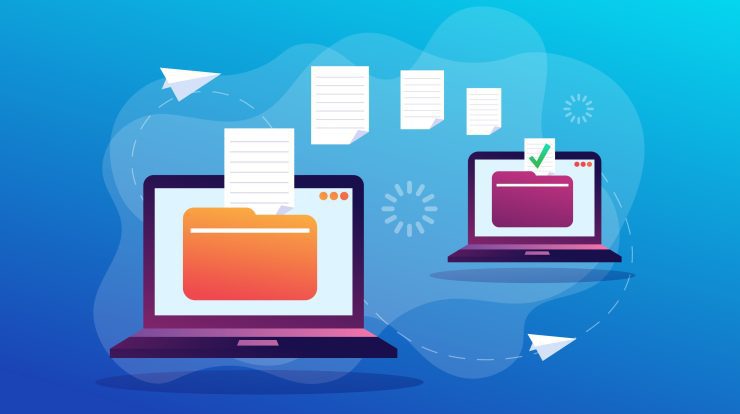
Moving a website from one hosting company to another can sound intimidating for beginners. Many novice website owners worry that their website will disappear, customers will be unable to access pages, or important data will be lost during the process. Fortunately, modern website transfers are much safer and smoother than they used to be. In many cases, a website can be moved to a completely new server without visitors even noticing the transition happened.
Zero-downtime website transfers are possible because hosting companies and system administrators carefully prepare the new server before making it live. Instead of shutting down the old website first, both the old and new servers work together during the migration process. This overlap keeps the website available while everything is being copied and tested.
For someone new to web hosting, understanding how this process works can remove a lot of fear and confusion. Website migrations may sound highly technical, but the basic ideas are actually fairly simple once they are explained clearly.
This guide explains how website transfers work without downtime in beginner-friendly language. It covers DNS, servers, files, databases, synchronization, and the step-by-step process hosting providers use to move websites safely.
What Is a Website Transfer?
A website transfer means moving a website from one hosting environment to another.
This could include moving:
- From one hosting provider to another
- From shared hosting to a VPS
- From an old server to a newer server
- From one cloud platform to another
- From a local development server to a live production server
A website is made up of several important pieces, including:
- Website files
- Images
- Databases
- Email accounts
- SSL certificates
- DNS settings
- Applications and plugins
All of these pieces need to be copied and configured properly during the migration.
For beginners, it helps to think of a website like a house. If you move to a new house, you do not simply abandon everything and leave. You carefully move furniture, appliances, important documents, and utilities to the new location before fully settling in. Website migrations work in a very similar way.
Why People Transfer Websites
There are many reasons why someone might transfer a website.
Some common reasons include:
- Better pricing
- Faster servers
- Improved customer support
- More storage space
- Better security
- Upgrading to a more powerful hosting plan
- Expanding a growing website
- Escaping poor service from an old host
Sometimes a website simply outgrows its original hosting environment. A small shared hosting account may work well at first, but larger websites eventually need more resources.
What Does Downtime Mean?
Downtime means a website becomes unavailable to visitors.
During downtime, users may see:
- Error pages
- Connection failures
- Blank screens
- Missing images
- Database errors
Downtime can be frustrating because visitors may think the website is broken or untrustworthy.
For businesses, downtime can lead to:
- Lost sales
- Lost customers
- Damaged reputation
- Lower search engine rankings
This is why hosting companies work hard to avoid interruptions during migrations.
Why Downtime Used to Happen Frequently
Years ago, website migrations often caused outages because internet infrastructure was less advanced.
Administrators sometimes:
- Shut down the old website too early
- Copied files slowly
- Waited for DNS changes to spread
- Performed manual transfers with more human error
Modern hosting systems are much more sophisticated. Today, websites are often synchronized between old and new servers before visitors are redirected.
This allows the transfer to happen almost invisibly.
The Main Secret Behind Zero-Downtime Transfers
The biggest secret behind zero-downtime website transfers is surprisingly simple:
The old website stays online until the new website is completely ready.
Instead of replacing the old server immediately, hosting providers temporarily run both servers at the same time.
The process works like this:
- A new server is prepared
- Files are copied
- Databases are synchronized
- The new website is tested
- DNS settings are updated
- Visitors slowly begin reaching the new server
- The old server remains active as backup
Because both servers operate simultaneously during the transition, visitors usually never notice any interruption.
Understanding Servers in Simple Terms
A server is simply a computer that stores websites and delivers them to visitors over the internet.
When someone types a website address into their browser, the browser contacts the server hosting that website.
The server then sends:
- HTML pages
- Images
- Videos
- CSS files
- Scripts
- Database information
During a migration, all this information must be copied to a new server.
What Is DNS?
DNS stands for Domain Name System.
DNS acts like the internet’s phonebook.
Humans remember names like:
- example.com
Computers use IP addresses like:
- 192.168.1.1
DNS translates website names into server addresses so browsers know where to connect.
When a website moves to a new server, the DNS records need to point visitors toward the new location.
Why DNS Is Important During Transfers
DNS changes are one of the most important parts of a website migration.
When DNS is updated, internet providers around the world slowly learn the new server address.
This process is called DNS propagation.
Years ago, propagation could take a long time, sometimes up to 48 hours. Today, it is often much faster, especially when configured properly.
The key to avoiding downtime is making sure the new server is fully ready before DNS changes occur.
What Is DNS TTL?
TTL stands for Time To Live.
TTL controls how long DNS information is cached by internet providers and devices.
For example:
- A high TTL means DNS changes update slowly
- A low TTL means DNS changes update quickly
Before a migration, administrators usually lower the TTL value.
This helps the internet refresh DNS records faster during the transition.
For beginners, you can think of TTL like refreshing directions on a GPS. A lower TTL tells computers to check for updated directions more frequently.
Step 1: Preparing the New Server
Before anything is moved, the new hosting environment must be prepared.
This involves setting up:
- Web server software
- Databases
- PHP versions
- Security settings
- SSL certificates
- Backups
- Email systems
The goal is to make the new server capable of running the website properly before any visitors are redirected.
This preparation stage is very important because problems discovered later can cause interruptions.
Step 2: Copying Website Files
The next step involves copying website files from the old server to the new one.
These files may include:
- Images
- Themes
- Plugins
- HTML pages
- Scripts
- Videos
- Application files
Modern migration tools can automate much of this process.
Some hosting companies provide one-click migration systems that make transferring files very easy for beginners.
Step 3: Copying the Database
Many websites use databases to store dynamic information.
For example, databases may contain:
- Blog posts
- Customer accounts
- Product listings
- Comments
- Orders
- User settings
WordPress websites rely heavily on databases.
Copying the database correctly is critical because even a small mistake can break the website.
Why Dynamic Websites Are More Complicated
Static websites are easier to transfer because their files rarely change.
Dynamic websites constantly update information.
For example:
- New comments appear
- Customers place orders
- Users upload files
- Inventory changes
- Messages arrive
This means the database on the old server keeps changing during the migration.
Hosting providers solve this problem using synchronization.
What Is Synchronization?
Synchronization means keeping the new server updated with changes happening on the old server.
Instead of copying the website only once, the hosting provider may repeatedly sync data between both servers.
This ensures the new server remains current.
Synchronization can include:
- File updates
- Database updates
- Email synchronization
- User uploads
This is one of the most important reasons modern transfers can happen without downtime.
What Is Database Replication?
Database replication is an advanced synchronization technique.
Replication allows the old server to continuously send updates to the new server in real time.
Imagine two notebooks:
- Every time something is written in Notebook A
- The same information instantly appears in Notebook B
That is essentially how replication works.
Large websites often use replication to avoid losing any data during migrations.
Step 4: Testing the New Website
Before the public sees the new server, administrators test everything carefully.
They check:
- Website pages
- Images
- Forms
- Logins
- Shopping carts
- Plugins
- Mobile compatibility
- SSL security
- Email delivery
This testing stage helps catch problems early.
One interesting thing beginners may not realize is that administrators can privately preview the new server before anyone else sees it.
This allows them to test the new environment safely.
Step 5: Installing SSL Certificates
SSL certificates are responsible for HTTPS security.
Without SSL, browsers may show warnings saying the website is unsafe.
Before switching servers, administrators install SSL certificates on the new server so visitors continue seeing secure HTTPS connections.
Today, SSL management is much easier than it used to be because many hosting companies automate certificate installation.
Step 6: Final Synchronization
Right before the migration goes live, one final synchronization occurs.
This captures any last-minute changes.
For example:
- Recent customer orders
- Newly uploaded files
- Updated comments
- Fresh emails
Since most data was already synchronized earlier, the final sync is usually very fast.
Step 7: Changing DNS Records
Once the new server is fully tested and synchronized, DNS records are updated.
This tells the internet to start directing visitors toward the new server.
Because TTL values were lowered earlier, the DNS updates happen relatively quickly.
However, not everyone switches instantly.
Some visitors may temporarily reach the old server while others reach the new one.
Because both servers contain the same synchronized data, visitors rarely notice anything unusual.
Why the Old Server Stays Online
One common beginner mistake is shutting down the old server too soon.
Professional migrations keep the old server running for several days after the transfer.
This helps protect against:
- Delayed DNS caches
- Unexpected problems
- Missing data
- Email issues
If something goes wrong, administrators can temporarily switch traffic back to the old server.
This safety net greatly reduces migration risk.
How Email Transfers Work
Email migrations can be tricky because email depends heavily on DNS settings.
Hosting providers usually:
- Copy existing mailboxes
- Synchronize incoming messages
- Preserve folders and attachments
- Test delivery systems
During the migration, both servers may briefly handle email simultaneously to avoid message loss.
For businesses, maintaining email continuity is extremely important.
What Happens If Something Goes Wrong?
Even carefully planned migrations can encounter problems.
Common issues include:
- Missing files
- Incorrect permissions
- Broken plugins
- DNS mistakes
- Database errors
- Email configuration problems
This is why backups are essential.
Good backups allow administrators to restore the website quickly if necessary.
Why Backups Matter So Much
Before starting a migration, administrators create complete backups.
These backups usually include:
- Files
- Databases
- Emails
- SSL certificates
- DNS settings
Backups act like insurance policies.
Even experienced professionals never perform migrations without them.
What Are Migration Tools?
Modern hosting companies often provide migration tools that automate large portions of the process.
These tools may:
- Copy files automatically
- Synchronize databases
- Update settings
- Configure DNS
- Install SSL certificates
For beginners, these tools simplify website transfers dramatically.
Some hosting providers even perform migrations entirely for free.
Managed Hosting Makes Transfers Easier
Managed hosting services are especially helpful for beginners.
Managed hosts often provide:
- Free migration assistance
- Technical support
- Automated backups
- Security monitoring
- Performance optimization
Instead of handling everything manually, the hosting company manages much of the migration process.
This reduces stress for novice website owners.
Why Testing Is Extremely Important
Testing is one of the most critical parts of a migration.
Even if the website appears functional, hidden problems may exist.
Administrators test:
- Page speed
- Mobile responsiveness
- Contact forms
- User accounts
- Payment systems
- Search functions
- APIs
Thorough testing prevents embarrassing problems after launch.
E-Commerce Websites Require Extra Attention
Online stores are especially sensitive to downtime.
Even short outages can result in:
- Lost revenue
- Abandoned shopping carts
- Customer frustration
- Inventory mismatches
E-commerce migrations often involve extra synchronization and testing.
Many stores perform migrations during low-traffic hours for additional safety.
How Large Companies Handle Migrations
Large companies often use advanced systems for zero-downtime deployments.
These may include:
- Load balancers
- Multiple data centers
- Cloud replication
- Container systems
- Automatic failover
Instead of moving everything all at once, they gradually shift traffic to the new environment.
This allows problems to be detected early.
What Is a CDN?
A CDN is a Content Delivery Network.
CDNs store cached versions of website content across many locations worldwide.
During migrations, CDNs help reduce downtime because cached content can continue serving visitors even while servers change behind the scenes.
CDNs also improve:
- Speed
- Reliability
- Security
Many modern websites rely heavily on CDN services.
Why Search Engine Rankings Matter
Search engines prefer stable websites.
Long outages may negatively affect SEO rankings.
Zero-downtime migrations help preserve:
- Search engine visibility
- User trust
- Website performance
- Traffic consistency
This is especially important for businesses that rely on search traffic.
Common Beginner Mistakes During Transfers
Beginners sometimes make mistakes that increase downtime risk.
Common mistakes include:
- Forgetting backups
- Changing DNS too early
- Not testing thoroughly
- Ignoring email settings
- Shutting down the old server too soon
- Forgetting SSL certificates
- Failing to synchronize databases
Learning the proper migration process helps avoid these issues.
Why Hosting Companies Offer Free Website Transfers
Many hosting providers offer free migrations because it helps attract new customers.
Website transfers can feel intimidating to beginners.
By handling the process professionally, hosting companies make switching easier and less stressful.
Migration support has become a major selling point in the hosting industry.
The Future of Website Transfers
Website migrations continue becoming faster and more automated.
Future improvements may include:
- AI-assisted migrations
- Instant cloud synchronization
- Self-healing infrastructure
- Fully automated failover systems
- Real-time server replication
As hosting technology improves, downtime during migrations may become almost nonexistent.
Final Thoughts
Website transfers without downtime are possible because hosting providers carefully prepare the new environment before redirecting visitors. Instead of shutting down the old website immediately, both servers operate together during the migration process. Files, databases, and settings are synchronized while the old website remains online.
For beginners, the process may initially sound complicated, but the core idea is straightforward: the new server is fully prepared before traffic is moved.
Modern hosting tools, cloud infrastructure, synchronization systems, and migration services have made website transfers far safer than they used to be. Many hosting providers now offer automated or assisted migrations specifically designed for novice users.
Understanding how zero-downtime transfers work can help website owners feel more confident when changing hosting providers or upgrading servers. With proper planning, testing, backups, and synchronization, websites can often move seamlessly without visitors ever noticing the transition occurred.

With 23+ years in the Web Hosting Industry, Brian has had the opportunity to design websites for some of the largest companies in the industry. Brian currently holds the position as Co-Founder and Creative Director at WebHosting,coop Internet Cooperative